
A little while ago I noticed that wordpress 2.6 introduced the ability to add captions to images.
This seemed like a great idea, and looked great in the actual WordPress Admin WYSIWYG editor (TinyMCE), however I couldn’t actually find any themes that had the proper CSS for the captioning, so decided I would make it up myself.
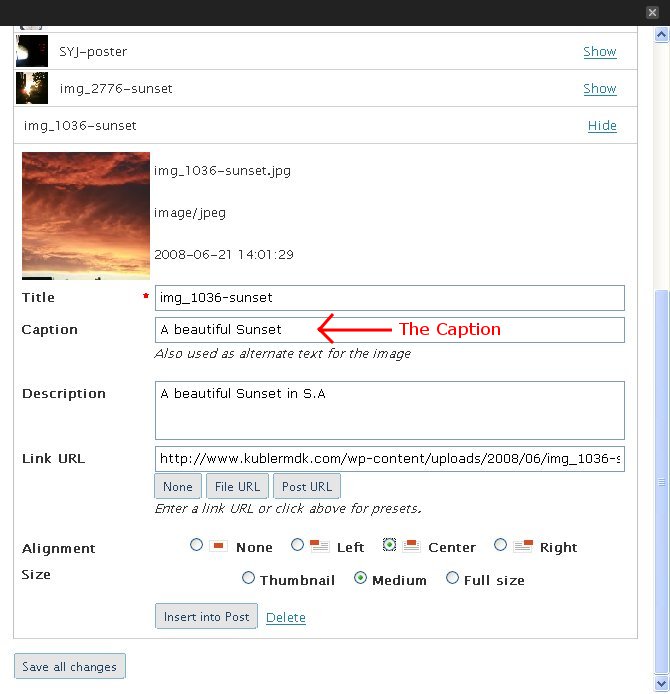
In the editor it looked good :
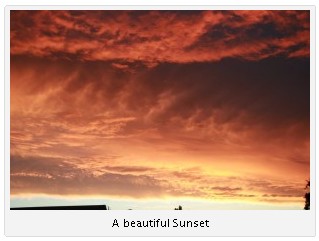
But on the actual page it just looked like there was a standard image, with just a bit of text below it, but not actually attached to it :
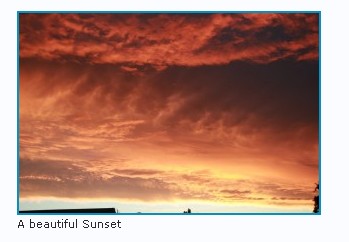
I hacked the CSS of my WordPress theme and the end result was pretty close :

To make the changes, I went into the WordPress Admin page, then Design -> Theme Editor.
I’m using the great Andreas09 theme, and had to make two changes in two of the style sheets, as shown in the images below :
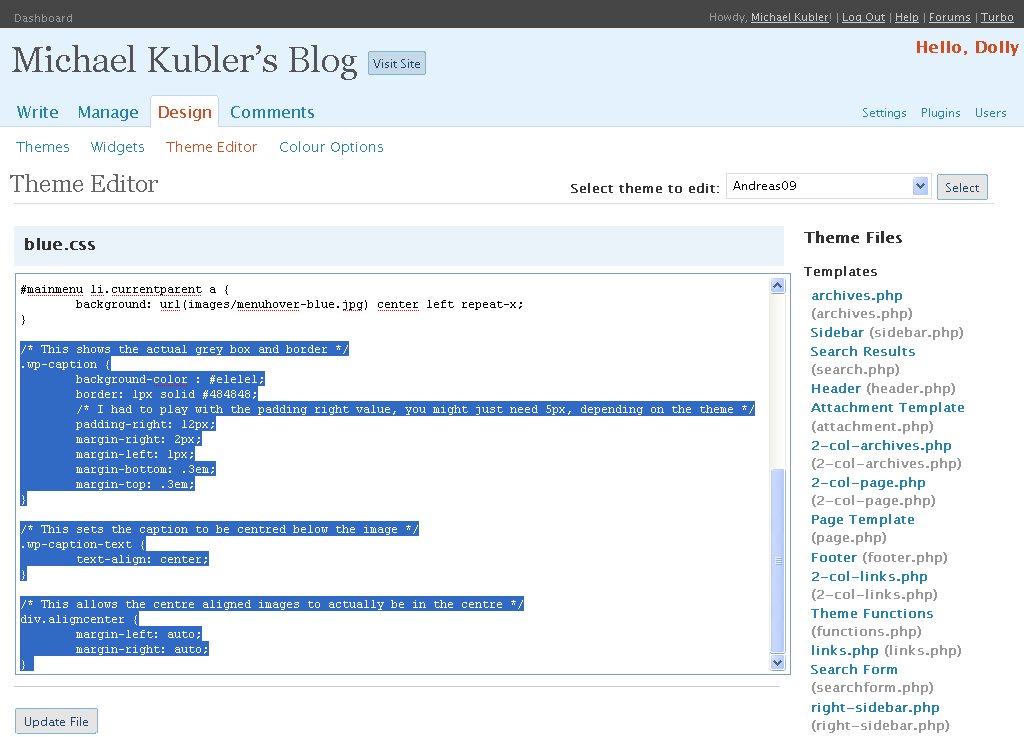
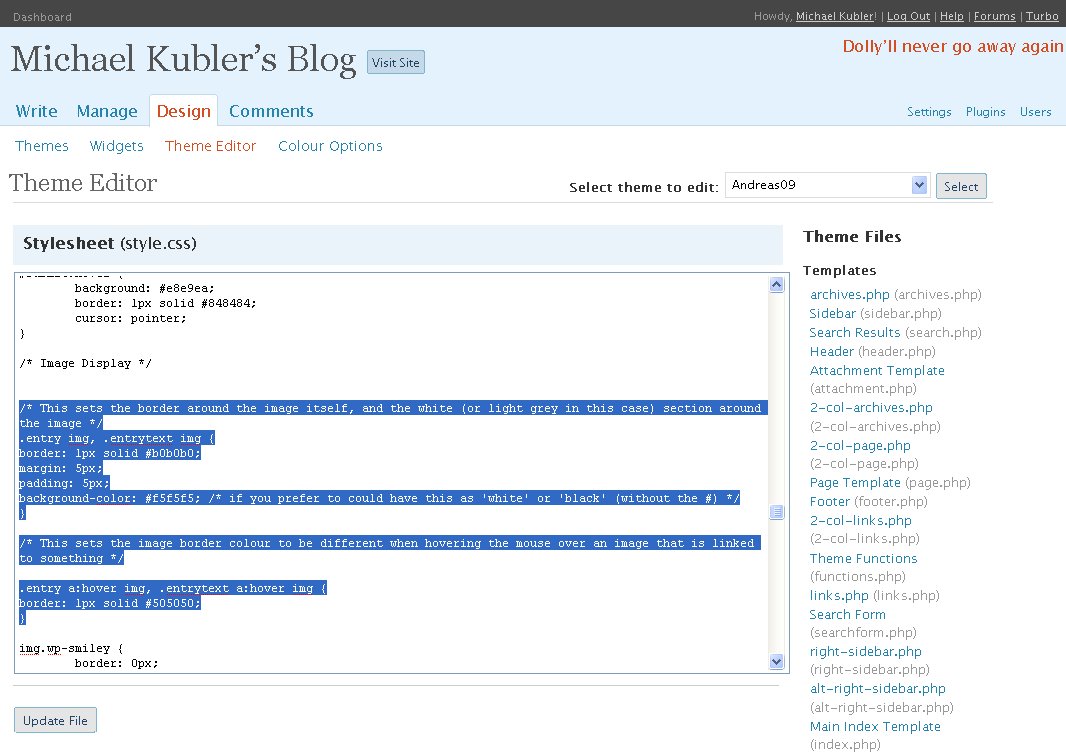
Below is the commented CSS styles to copy/paste into your theme (watch out for the Padding-left and padding-right values which might need to be edited according to your theme) :
/* This shows the actual grey box and border */
.wp-caption {
background-color : #e1e1e1;
border: 1px solid #484848;
/* I had to play with the padding right value, you might just need 5px, depending on the theme */
padding-right: 12px;
margin-right: 2px;
margin-left: 1px;
margin-bottom: .3em;
margin-top: .3em;
}
/* This sets the caption to be centred below the image */
.wp-caption-text {
text-align: center;
}
/* This allows the centre aligned images to actually be in the centre */
div.aligncenter {
margin-left: auto;
margin-right: auto;
}
/* This sets the border around the image itself, and the white (or light grey in this case) section around the image */
.entry img, .entrytext img {
border: 1px solid #b0b0b0;
margin: 5px;
padding: 5px;
background-color: #f5f5f5;
/* Change the background colour as you like, e.g ‘white’ or ‘black’ (without the #) */
}
/* This sets the image border colour to be different when hovering the mouse over an image that is linked to something */
.entry a:hover img, .entrytext a:hover img {
border: 1px solid #505050;
}
If you have any issues implementing this, please let me know.

I can testify that this actually works. I am using the new captions on my own site already!!! Woo HOOOOO!!!!
wow awsome tutorial!